Sees every tag
C2PA Content Credentials, IPTC “made with AI” labels, XMP edit history and the generator stamps from the tools you use.
HiggsfieldFireflyOpenAIMidjourneyRunwayKling
AI tools stamp their output with metadata, and platforms read it. Used AI for one VFX pass, a cleanup or an extend? Tag removes those stamps from your photos and videos without touching a single pixel, on your own computer.
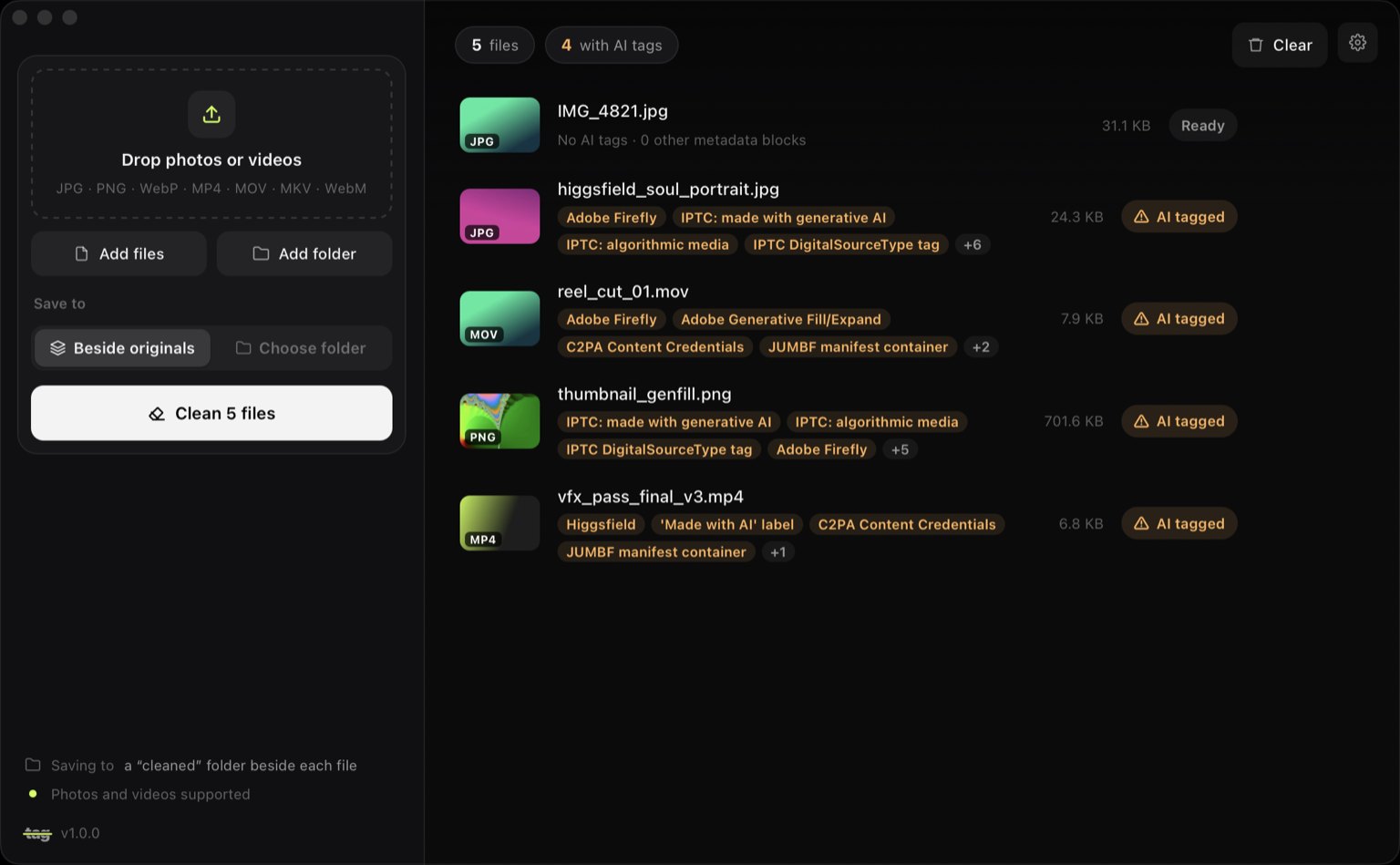
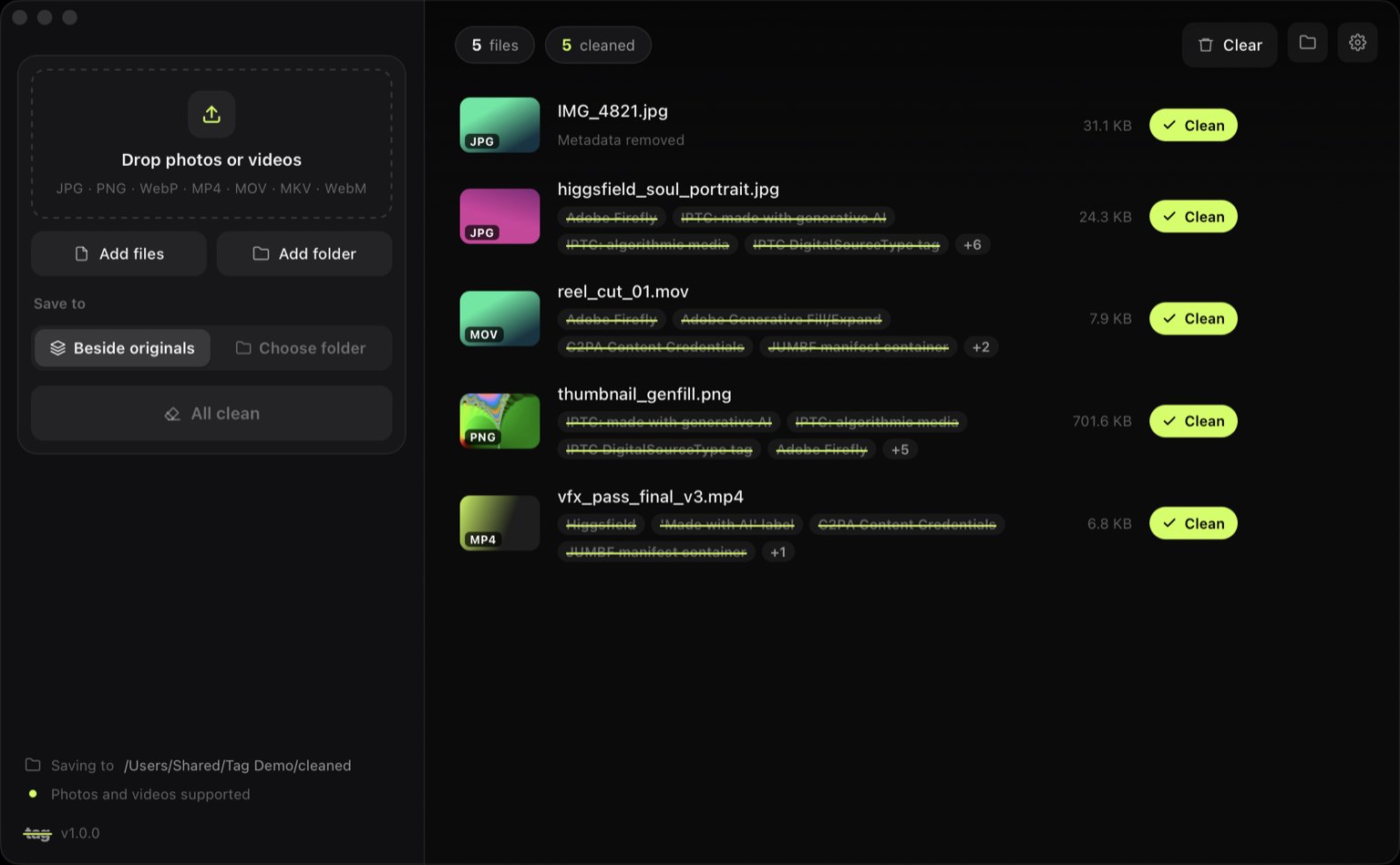 ScannedCleaned
Drop a batch. See every tag. Clean them all, losslessly.
Tag rewrites the file's wrapper, not its picture. What you made stays exactly as you made it.
C2PA Content Credentials, IPTC “made with AI” labels, XMP edit history and the generator stamps from the tools you use.
Images are rewritten at the container level and videos are remuxed with stream copy, so nothing is re-encoded. Colour profiles, orientation, transparency and HDR stay put.
JPG, PNG, WebP, MP4, MOV, MKV and WebM. Drop hundreds of files or a whole folder at once.
Clean copies go to a cleaned folder beside each file, or anywhere you choose. The originals are never modified.
Clean a whole export folder from a script.
No settings to learn. ffmpeg comes bundled, so there's nothing else to install.
Drag photos, videos or whole folders onto the window.
Each file lists what it carries: Firefly, Higgsfield, C2PA manifests, IPTC AI labels and more.
Tag writes clean copies and strikes through every tag it removed.
Tag never uploads your files. It reads and rewrites them on your own machine, so unreleased work stays unreleased.
No sign-up, no email. Open it and go.
Files are cleaned on your machine. They never leave it.
No analytics, no crash reporting, no ads. Ever.
The latest version. It checks for updates and installs them with one click.The first release is on its way. Watch the GitHub repo or get it through PXL when it lands.
Open it and drag Tag to Applications. The first time, right-click it and choose Open.
Run the setup. It adds Tag to the Start menu. If SmartScreen appears, click More info, then Run anyway.